Are you finding best solution about how to make private story on Snapchat? If yes, then you have come at right page. Here we will reveal all possible related stuffs, which help to create a private story on Snapchat app for Android or iOS device. At the end, you will say that i can do it myself without getting any hassle.
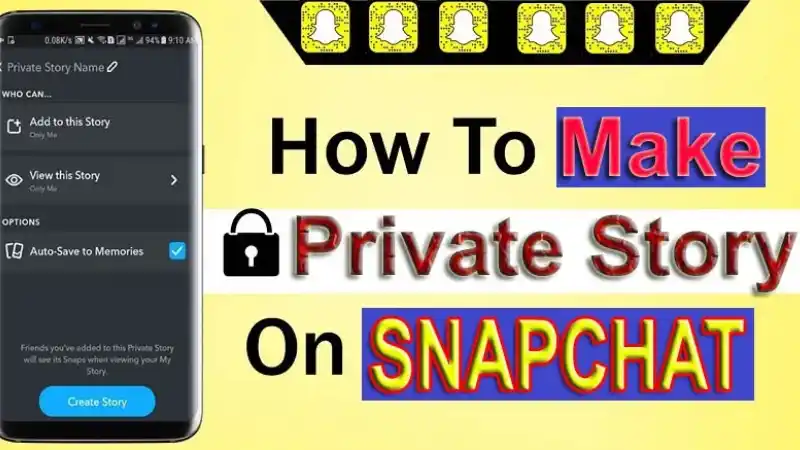
Few precious moments are not shareable along with each-one, so Snapchat understands your emotions. Snapchat offers an amazing Private Story feature that helps to share your personal moment only with close friends. Through this article, you will educate complete guide about to set up the Private Story feature on your Android & iPhone.
What is Private Story on Snapchat?
Snapchat lets you an amazing feature named ‘Story‘ that helps to showcase photos and videos for last 24 hours. Story can get combination images as well as videos. You can share story on your feed that you can see as well as your friends. If you want to share a private story then you have to require a custom story. After making a custom story, you can share the same as a private one.
Different Types of Stories on Snapchat
Private Story: If you wish to create a story that only lets specific guys to see, then you can use the ‘Private Story’ feature on your Snapchat account. With using this feature, you are able to more control over the content you share, as well as it is more secure to public stories on Snap Map.
Also Read: Snapchat My Eyes Only Not Working: How to Fix?
Our Story: With using ‘Our Story’ feature, all users can share their stories across the world, so you can say it public story as well. All users are eligible to see your posted story including unknown person, and this story might be appearing on Snap Map, or third-party platforms.
My Story: Snapchat introduced the ‘My Story’ feature in 2013, then their users to compile photos into chronological storyline. While posting ‘My Story’ on Snapchat, it can be get accessible for all your friends.
How to Make Private Story on Snapchat
In this section, we will reveal all cool things which help to set up and create a private story on Snapchat app for your Android and iPhone with ease; below shown all headlines, you can check them:
- How to Create a Private Story on Snapchat for Android & iPhone
- For Android
- For iPhone
- How to Add People to Private Story
- How to Edit Your Private Story
- How to Delete a Private Story on Snapchat
- How to Leave Private Story on Snapchat
- FAQs (Frequently Asked Questions)
- How to make a custom story on Snapchat
- How can I see someone’s private Snapchat story without adding them?
- How can you tell who is looking at your private story?
- Can you tell if someone screenshots your Snapchat story?
- How do you post your private on your story?
- Can you share Snapchat Private Story with someone?
- How to see who joined your private story on Snapchat?
Let’s Start!!
How to Create a Private Story on Snapchat for Android & iPhone?
If you are preferring to use Android or iOS device and want to create a private story on your Snapchat account, then here will explore all step about how to make a private story on Snapchat where they can join.
For Android:
- Firstly, you have to open Snapchat app on your Android phone and logged in with introducing their credential details.
Also Read: How to Change Your Snapchat Password or Reset it? If You Forgot It
- Then, tap on your <Profile Icon> locating at the top-left corner.

- Head over the ‘Profile Page’; click on <+ Private Story> option next to ‘My Story’ as showing image:

- Next, choose the friends who you want to give access to see your private Snapchat story, then click on <Create Story> button that showing up at bottom of your screen.

- This will appear a pop-pup that lets you to rename you story, after changing it, click on <Save> button.

- Move back to your ‘Profile Page’, and you will see that new tab will be appended underneath <My Stories>; then click on it.

- Then, you can make a Snapchat private story with using image or video; and can be editing, adding stickers, text or tag that you wish to.
- Once completed it, click on <Send> button for your private story to share on platform.

- You can also view your posted private story underneath added private Snapchat story tab.
For iPhone:
- Firstly, launch your Snapchat app on your device, then logged in by using their username and password.
Also Read: How to Enable Dark Mode on Snapchat for iPhone & Android?
- Go to your <Profile Page> by tapping on your <Bitmoji> that locating top-left hand.
- On ‘Profile Page’; find out the ‘My Story’ and hit on <+ New Story>
- Next, you will get a pop-up box and then select the <New Private Story> option.

- Further, you can choose the friends who you want to give access to see your private Snapchat story, then click on <Create Story> button that showing up at bottom of your screen.
- Next, again you will receive a pop-up box; then change your story’s name that you wish to and hit on <Done>.

- Move back to your ‘Profile Page’, and you will see that new tab will be appended underneath <My Stories>; then click on it.
- Then, you can make a Snapchat private story with using image or video; and can be editing, adding stickers, text or tag that you wish to.
- Once completed it, click on <Send> button for your private story to share on platform.
How to Add People To Private Story
Snapchat allows you to adjust viewing permissions on your stories after publishing it. Here’s how to do it:
Also Read: How to Update Snapchat on iPhone and Android? Get Upgrade Snapchat
- Open your Snapchat app on your device then logged in it.
- Go to your profile page and tap on <Gear icon> ‘Settings‘ option locating at the upper-right corner.
- On ‘Settings page’; select the <View My Story> underneath the ‘Who Can’

- Then, you will see three options like as: Everyone, Friends Only, and Custom.

Everyone: If you wish to get privacy for your content then you never select ‘Everyone‘, because it will be showing up your story on public exclude your friend list.
Friends Only: Your story will be going on only your contact list, and mutual friends and anyone along with your geofence are accepted.
Custom: This option lets you to select whose friends you want to block from seeing new photos you add to your story.
Choose one of them as your choice and click on <Back> button for saving your changes.
How to Edit Your Private Story?
Snapchat also lets you many option to customize your private story like as adding photo, rename story, see viewer, auto-save to Memories and etc. Here’s how to perform it?
- Go to your <Profile Page> by tapping on <Bitmoji> icon that showing up at the top-left hand.
- On ‘Profile Page’; locate the <My Stories> section, find out your ‘Private Story’ then click on <…> next to its name.

- This will appear the list of options as showing in image, select any one as your wish and hit on <Done> to save your made changes.

Important! You can also select to terminate all viewers for seeing your Private Story then it can be appeared just for you.
How to Delete a Private Story on Snapchat?
With following few simplest instructions, you are able to remove a private story from your Snapchat account. Here’s how:
- Go to your <Profile Page> by tapping <Bitmoji> icon that locating top-left corner on camera screen.
- On ‘Profile Page’; under the ‘My Stories’ section, select the photo that you want to delete then click on <three vertical dots> icon at upper-right hand.

- This will appear the pop-up menu and click on <Delete> option and get confirm your choice by tapping ‘Delete’ option again.

If you are not interested in sharing a private story, then you can also select delete section. Here’s how:
- Move back to your ‘Profile Page’ and click on <…> icon next to your Private Story’s name.

- Then you will get a list of options and select the <Delete> option from elevated search result.

- Further, this will show a confirmation pop-up then click on <Delete> option to remove your Private Story.

How to Leave Private Story on Snapchat?
Are you getting to annoy by shared someone’s private stories on Snapchat? Then you can select to leave them. You have to keep long press on desired person’s private story and click on <Leave Story> from elevated pop up window.
Snapchat would not notify the person you left story, then they are unable to view your name in the viewer list. If guy tries to add you once again then you can tap on <Block Story> button to get safe that from occurring in the future.
FAQs (Frequently Asked Questions)
How to Make Custom Story on Snapchat?
Go to your ‘Profile Page’ and under the <My Stories> section, hit on ‘+ New Story‘ option. You will get a pop-up and select the <New Custom Story> option. Next, add the guys who are able to see your shared story; rename your story and finally hit on <Save> button.
How can You See Someone’s Private Snapchat Story without Adding Them?
Open your Snapchat app on your device and go to ‘Discover Window’, and then you can perform swipe up until you search desired story that you wish to see.
How can You Tell who is Looking at Your Private Story?
Go to your desired story and tap on <More> button at the right side beside the story’s name; click on <See Viewer> in the appeared menu. This will display a list of guys who can see the private story will pop-up.
Can You tell if Someone Screenshots your Snapchat Story?
If you view a photo of two overlapping arrows that means someone has taken a screenshot of your story.
How do You Post Your Private on Your Story?
Go to your <Profile Page> then under the ‘My Stories’ section, tap on <“+ Private Story” or “+ Custom Story”> button. Snapchat will confirm to your choice and tap on <Private Story> once again.
Can You Share Snapchat Private Story with Someone?
Yes! Through a nutshell, one person or small group of friends that you choose are able to see your private story.
How to See who Joined your Private Story on Snapchat?
- Open your Snapchat app and go to ‘Camera‘ tab then perform swipe left to enter ‘Stories‘ tab.
- On ‘Stories Screen’; you will view all shared stories, underneath the ‘Friends‘ section. Here you will see a small padlock icon around any story that means this story to be seen by people and you can be one of them.
Final Verdict
As you can see about how to make private story on Snapchat for Android and iPhone device; hopefully, this tutorial is most helpful for your, if yes, then please share it along with your friends, family members or relatives over social media platforms like as Facebook, Instagram, Linked In, Twitter, and more.
Also Read: How to Screenshot on Snapchat without Them Knowing? Free 15 Ways
If you have any experience, tips, tricks, or query regarding this issue? You can drop a comment!
Have a Nice Day!!