
Are you finding solutions about how to fix the My Eyes Only not working issue that several Snapchat users are facing? If yes, then you have visited at right place because here we will reveal all possible ways, which help to solve My Eyes Only not loading and working problem on your Android and iOS device with ease.
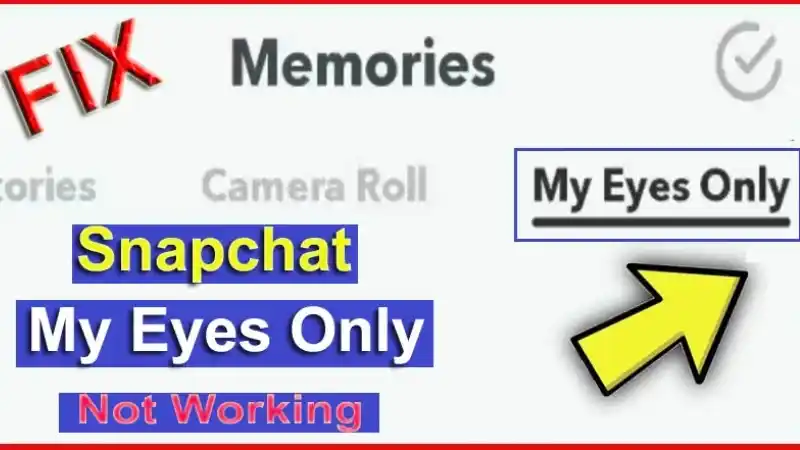
On Snapchat app, My Eyes Only is precious area where all your private photos and memories will be keeping to save. And, you can get access to them while using My Eyes Only passcode. Snapchat also lets you option to reset passcode whenever you wish if keeping mind that while getting to reset it, you might be damaging your data.
Why Snapchat My Eyes Only Not Working?
Due to many reasons, you may be facing this issue ‘My Eyes Only is not working’ like as:
Also Read: How to Change Your Snapchat Password or Reset it? If You Forgot It
- Using old version app
- Snapchat servers may be get down
- Get access your My Eyes Only from its cache files
- Get Failure to back up your My Eyes Only
- Not remembering your ‘My Eyes Only’ passcode
Snapchat My Eyes Only Not Working/Loading – Fix It
‘My Eyes Only’ is amazing feature in Snapchat app. But, several users are logging complaint about ‘Snapchat My Eyes Only not working or loading’ on iPhone or Android device. If you are also one of among of them, don’t worry! In this section, we will give you complete guide about to fix it; below showing all headlines, you can navigate them as your choice:
- Solved: ‘Snapchat My Eyes Only Not Working’
- Always Remember Your Passcode
- Touch Snapchat Team
- Getting to Change My Eyes Only Passcode
- Solved: ‘Snapchat My Eyes Only Not Loading’
Let’s Get Starting!!
Solved: ‘Snapchat My Eyes Only Not Working’
Due to many reasons, you can face error ‘Snapchat My Eyes Only is not working’ on your Android and iOS device. One of most obvious reason is to forget your passcode. Then you have to need touch with Snapchat Technical Team to fix this problem because it is most secured. There may be using out-dated version of app then you should be go with latest update, because some minor bugs can be attack at traditional update.
If really you didn’t remember your passcode that means forgot it then you should be follow few tricks that useful to fix your problem.
Always Remember Your Passcode
If sometime you don’t remember your My Eyes Only’s passcode; forgot your passcode, it is serious problem. Then all memories and pictures that saved into My Eyes Only menu will be damaging. Even if you are going to try to reset the passcode then it may be all precious data can be lost and you can’t restore them.
Also Read: How to Enable Dark Mode on Snapchat for iPhone & Android?
But, if you have taken decision to change your passcode then nothing will get lost.
On Snapchat app, if you will try to tap on <forget passcode> button, then you are able to recover your passcode but all save memories will be deleting. Once deleted your data, Snapchat never lets you helps to recover your personal data.
Touch Snapchat Team
When you have forgotten your My Eyes Only passcode then you have only best option that you prefer to contact Snapchat team about this problem. With following few simplest steps, you can get help from Snapchat technical team:
- Go to Snapchat support page.
- On the category, choose the <Passcode> option and then tap on <continue> option.
- Then you will see a form, and here you have to require feed detail of your personal account like as username, password, mobile and more. Explain your problem that you are getting to face about forgetting the passcode and wish to restore the passcode without any lost data.
- Next, Snapchat technical team will get touch over email if anything is possible telling you, further what will do.
Getting to Change My Eyes Only Passcode
When you are getting to try change your password then never lost any memories from My Eyes Only menu. Here’s how:
Also Read: How to Update Snapchat on iPhone and Android? Get Upgrade Snapchat
- Firstly, you have to go <My Eyes Only> section.
- Then you have to two options either forget passcode or change your passcode, if you want to change the passcode then you have to require to click on <change passcode> option.
- On next page, put your old passcode.
- If you didn’t remember your previous passcode then left with one and go to reset your passcode.
- But you know your previous passcode then you will see a new screen that will prompt you about the old passcode that used previously.
- Next you will see an option to make new passcode and when you put it then your My Eyes Only account will be recovered back.
Solved: ‘Snapchat My Eyes Only Not Loading’
If you are getting to face problem as ‘My Eyes Only isn’t loading’ or ‘My Eyes Only greyed out’ , then you should be check your internet connection if it is not stable then it not allowing your memories to my eyes only for loading. Once entered your my eyes only passcode, you have to need to wait for memories to load before getting to see them.
Another factor is facing issue ‘My Eyes Only isn’t loading’ that file is enlarged. If your video a long using 4K on your Android or iPhone device camera and you take decision to upload it to your snap memories, then this picture will going to take a long time while loading.
The Bottom Lines
After reading this post, you must be known about how to fix ‘Snapchat My Eyes Only not working’ issue. So it would assist if you believed there is always a trick to help you fix it.
Also Read: How to Screenshot on Snapchat without Them Knowing? Free 15 Ways
If this article is helpful for you then please share along with your friends, family members or relatives over social media platforms like as Facebook, Instagram, Linked In, Twitter, and more.
If you have any experience, tips, tricks, or query regarding this issue? You can drop a comment!
Have a Nice Day!!


