In this post, we will guide you about how to turn on Dark Mode on iPhone and iPad with using 5 incredible easier methods. You can use one of them to get Dark Mode on your iPhone and iPad.
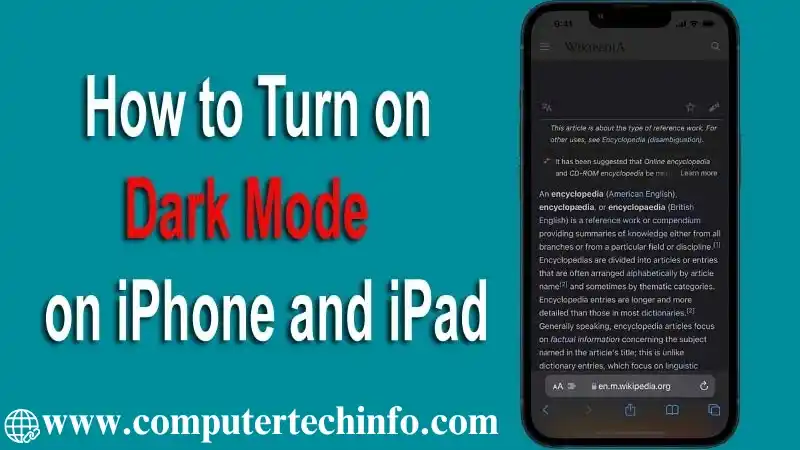
Apple’s iOS offers an excellent feature as named ‘Dark Mode’ that helps to decrease glare on your screen, save battery life or even just shift things up a little.
Dark Mode means that allows to darkness the visual appearance and text light of your iPad and iPhone’ display, then you can easier to read, especially in low-light conditions. If your iPhone is getting an OLED screen (iPhone X, iPhone XS, or iPhone XS Max), and activate Dark Mode will also help you conserve your battery.
Also Read: How to Disable Cookies on iPhone & iPad? From Safari, Chrome, Firefox
Your iPhone must be running iOS 13 or later, and iPad must be presented iPadOS. If, you don’t know that which version currently working in your iPhone then navigate Settings > General > Software Update, and check running version of iOS on your device. If there an update is presented, then press on <Download and Install>. Once done it, your Apple device is up to date.
How to Turn on Dark Mode on iPhone and iPad
In this section, we will cover about how to use Dark Mode on your iPhone and iPad as well as how you can use Dark Mode on iPhone & iPad with following these topics; below mentioned all:
- Turn on Dark Mode on iPhone and iPad via Siri
- Turn on Dark Mode on iPhone and iPad via Control Center
- Add Dark Mode Toggle in Control Center Panel
- Enable Dark Mode on iPhone and iPad Automatically
- Set Custom Schedule Dark Mode on iPhone and iPad
Let’s Start!!
Turn on Dark Mode on iPhone and iPad via Siri
Siri is most simple way to set turn on Dark Mode on iPhone and iPad. If you wish to know about how to add Dark Mode on iPhone or iPad, then you can follow few easiest steps:
Note: Your iPhone and iPad devices must be enabled with Siri, and then you are eligible to activate Dark Mode on iPhone and iPad .
Go to nearby iPhone, and say “Hey Siri, turn on Dark Mode” or “Hey Siri, switch on Dark Mode” or “Hey Siri, enable Dark Mode”.
Now it will enable quickly.
Turn on Dark Mode on iPhone and iPad via Control Center
With helping of Control Center, you can enable Dark Mode on your iPhone or iPad with following few basic steps. Here’s how:
Also Read: How to Backup WhatsApp to Google Drive on iPhone? 3 Easier Methods
- Open <Control Center> by swapping down from upper – right corner of iPhone’s display.
- Keep hold your finger down on iPhone or iPad’s <Brightness indicator>.

- Now you have to tap “Dark Mode” on to get toggle it to enable Dark Mode.

- Come back to Control Center by tapping on any blank portion of iPhone’s screen.
Add Dark Mode Toggle in Control Center Panel
- Go to Settings app > Control Center
- Get to scroll down to find out list of all controls; you are able to add Control Center. This will be divided into two parts such as <Included Controls> and <More Controls>.
- When you locate the <Dark Mode> then press the <+> sign that showing at left side and drag it to <Included Controls> portion.

- Now you will get dedicated Dark Mode toggle at the end of Control Center, and then you can tap on it to toggle Dark Mode enable or disable. Further you don’t need to visit at brightness menu.
Enable Dark Mode on iPhone and iPad Automatically
If you want to get switch between Light and Dark Mode automatically throughout the day, like as when you get evening time, your eyes might be feel not comfortable to look at a screen. So you can easier make Dark mode turn on or off automatically depend upon days’ time. To do this:
Also Read: How to Find Lost iPhone without Find My iPhone and iCloud? 10 Ways
- Go to Settings app on your iPhone and iPad, and tap on it.
- This will display few options, and then you have to tap on <Display & Brightness> option.

- Next you have to tap <Automatic> option

- Now Dark Mode will get automatically switch on at sunset but otherwise left time turned off throughout day.
Set Custom Schedule Dark Mode on iPhone and iPad
- Press the <Option> button to get switch in between “Sunset to Sunrise” option and <Custom Schedule> option.
- Now you have to select <Custom Schedule> option, and then you can specify a certain time to Dark Mode should be trigger.

At the End
Now, we hope you are able to get Dark Mode on your iPhone and iPad devices by using any one method from given above.
Also Read: How to Listen to Voicemail on iPhone? Use Easiest Ways
If this post is most useful for you then please it with your friends on social media platforms!!