
Hello guys! From this article we are going to explain everything about what fixed partitioning in OS is; involving static partition in operating system with ease. This is an article on the Internet so make sure that after reading this article; you will get exactly to know about Fixed Partitioning in Operating System without getting any hassle.
What is fixed Partitioning in OS?
We find that fixed partitioning is also called Static Partitioning is a way that an operating system uses to split the memory into pieces that are the same size. Each piece is then set aside for one process. The memory split happens when the system starts up and once a piece assigned that piece stays with that process for the rest of its life.
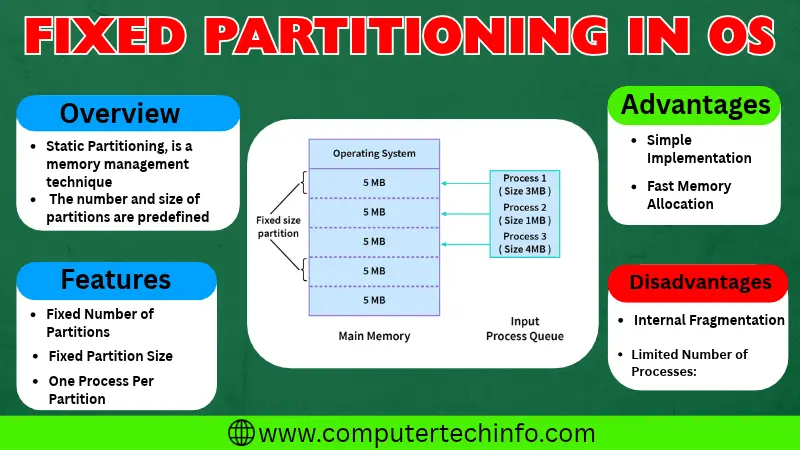
This memory technique implementation is the simplest and the easiest in the system. The memory technique ensures that every process has the minimum amount of memory which improves security and stability of the system.
Read More: Multitasking Operating System? Examples, Types, Advantages
The memory technique can cause fragmentation to limit the number of processes that can run at the same time and require each process to have its own dedicated partition.
How Does Fixed Partitioning Work?
Here we will explain the working principle of fixed partitioning step, by step. And this approach is using in all categories of operating system. Below mentioned each one you can read them:
Partition Creation
• We see that the total memory is divided into fixed-size partitions, at system initialization.
• We notice that each partition has a size and these sizes set by system requirements.
Process Allocation
• When a new process create or load into the memory that assign to a partition depending on how big the processes.
Read More: Batch Processing Operating System: Advantage, Disadvantage, & Examples
• The size of the process needs to be the same as or smaller, than the size of the partition so that it can fit inside the partition.
Execution
• When a process gets allocating to a partition the process can run inside that partition’s boundaries.
• The process does not see processes, in other partitions and each partition operates independently.
Contiguous Memory
• In operating system every panel or partition has a block of memory.
• We think that adjacent memory of the system allocation makes it too easier, for the operating system and the applications to access and manage memory.
Limited Flexibility
• Fixed partitioning limits flexibility because the partition sizes set in advance.
• It can cause use of memory if the processes need different amounts of memory and the size of the partition given is bigger, than what some processes need.
Fragmentation
• Fixed partitioning can have problems with both external fragmentations.
• Internal fragmentation happens when there wasted space inside a partition because a process does not use all the space that given to it.
• External fragmentation happens when there are spaces, between partitions, which makes it hard to fit larger processes.
Process Termination
• When a process finishes running the memory space it was using becomes free. Along with this free space then it can be using for the processes that need to be running.
Advantages of Fixed Partitioning in OS
Fixed partitioning has advantages for an operating system, such, as:
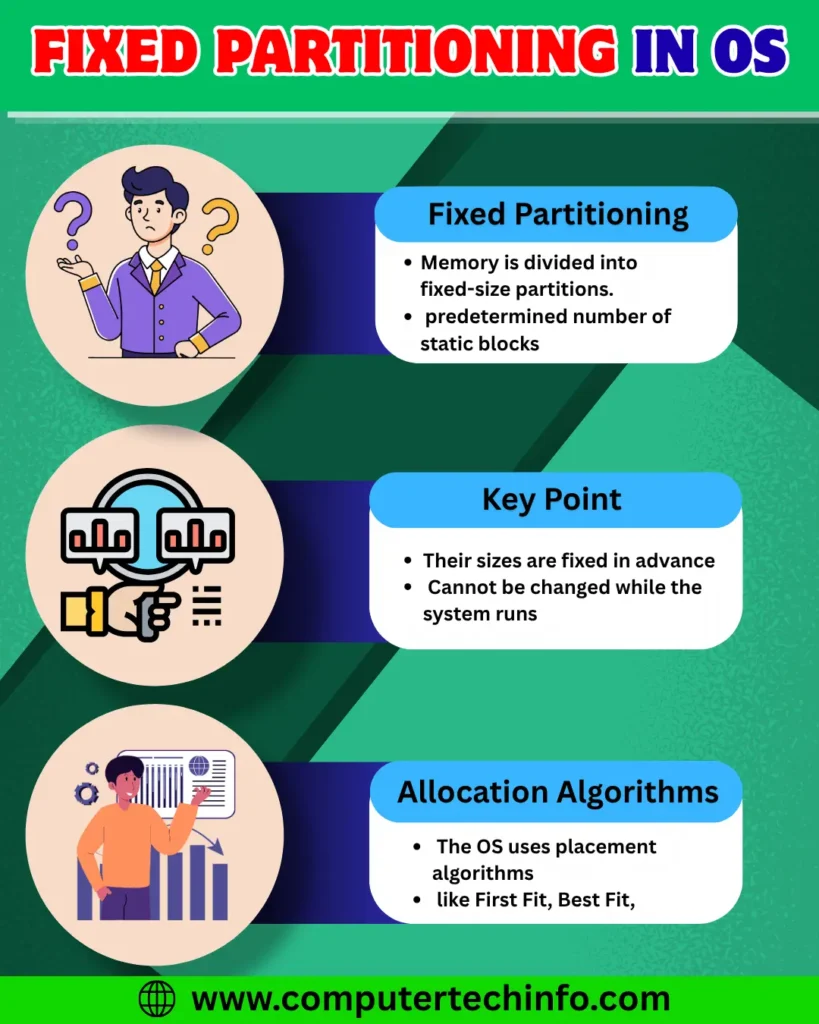
Simplicity: Fixed partitioning is an approach, to memory management. Operating system always splits the memory into equal-sized chunks. When a process comes in it gets placed into one of these partitions. This approach is easy to understand and easy to put into the practice because of its nature it is too easier to manage and implement.
Read More: Multiprogramming Operating System: Examples, Types, & Advantage
Low Overhead: The overhead in fixed partitioning is low. There is no need, for complicated data structures or algorithms to handle sized partitions because the sizes stay fixed. This makes memory allocation and deallocation very smooth and quick.
No Fragmentation: Fixed partitioning removes fragmentation. External fragmentation can happen when memory is getting allocate and freed in a way. With fixed partitioning each partition has a size. There is no need to think about organizing memory blocks to fit sized processes.
Predictability: Because the partition sizes decide ahead of time it is easier for system administrators and developers to know how the system will act. This kind of predictability makes it simpler for system administrators and developers to watch the system fix problems. Make it run better.
Fast Allocation and Deallocation: Fixed partitioning offers memory allocation and deallocation, then dynamic partitioning. Because the sizes of the partitions are set in advance the system doesn’t have to use methods to locate the right memory blocks. This makes managing memory easier and faster.
Simplifies Memory Protection: Find that fixed partitioning makes fixed partitioning easier to protect memory. Each partition has its access rules so the system can control which process can use that partition of memory.
Stability: We find that fixed partitioning provides a predictable memory allocation process because each process assign an available partition. Fixed partitioning helps keep the memory structure neat and tidy. Yet fixed partitioning can fail to allocate if there is no partition available.
Disadvantages of Fixed Partitioning
Below I list some of the drawbacks of fixed partitioning. Each drawback of fixed partitioning is showing in detail:
Read More: Multiprogramming Operating System: Examples, Types, & Advantage
Wastage of Memory: One big drawback of fixed partitioning is that memory can be wasting. When a partition is bigger than the process that lives inside it the leftover space, in that partition cannot be using by processes. That situation causes fragmentation and lowers overall memory utilization.
Limited Flexibility for Varying Process Sizes: Fixed partitioning is less adaptable to processes that have memory requirements. If a process is smaller than the partition size the process must still occupy the partition, which leads to wasted memory. Conversely if a process is larger, than the partition size the process cannot fit, resulting in use of available memory.
Inability to Handle Growing Processes: When a process needs memory than what was originally giving in a fixed partition the process cannot grow beyond that size. That lack of flexibility makes it hard to handle process growth during execution.
Fragmentation over Time: We have seen that over time as processes get loading and unloaded the memory space becomes fragmented. Fixed partitioning can stop fragmentation, but internal fragmentation can still build up because processes allocate, to partitions and this can waste memory.
Difficulty in Managing Priority Processes: We find that assigning priorities to processes is tricky in fixed partitioning. Because each partition has a fixed size assigning priorities to processes may not let us give memory to higher-priority processes when needed which can hurt system responsiveness, in fixed partitioning.
Underutilization of Memory: We see that because partitions fixed sometimes some partitions stay empty while other processes wait for memory. That memory underutilization can cause the system to perform poorly.
Increased Turnaround Time for Large Processes: Processes that need memory than the partition size can have longer turnaround times or can be rejecting. When processes rejected, the system becomes less efficient and less responsive. Processes that use much memory slow everything down.
Complexity in Partition Management: Although fixed partitioning is usually easier, than some ways of handling memory managing fixed partitions gets harder when there are jobs of sizes coming in. Keeping track of partitions can mean work and extra effort.
Alternatives to Fixed Partitioning
Some alternatives to fixed partitioning, in operating systems include:
Read More: Embedded Operating System: Definition, Types, Examples, & Applications
Dynamic Partitioning: We find this method lets the partition size change according to the process size. It gives efficient memory use and better support, for varying process sizes.
Paging: We see that in paging the memory is getting to divide into fixed-size pages. In paging each process also divide into pages that’re the same size. So, in paging the pages get loading into the memory as needed. In paging this reduces memory overhead. Improves the degree of multiprogramming.
Read More: Android Operating System: Features, Advantages and Disadvantages
Segmentation: This method splits memory into segments of sizes. It lets processes that need amounts of memory use it more efficiently. Because the segments can vary it gives control over how memory get assigning.
Combination of Paging and Segmentation: This approach brings together the strengths of paging and segmentation, and the memory management system becomes more flexible and efficient.
FAQs (Frequently Asked Questions)
Summing Up
Through this blog post you now understand what fixed partitioning in OS means. We have explained static partition in operating system in a simple and easy way.
If this article is valuable for you, then please share it along with your friends, family members, pet lovers or relatives over social media platforms like as Facebook, Instagram, LinkedIn,X, and more.
Do you have any experience, tips, tricks, or query regarding on this? You can drop a comment!
Have a Nice Day!


