Let us think about selecting macOS for your next device or doubtful if it suits your needs? It is known for its stylish design and smooth performance. macOS attracts many users. It is important to study about advantages and disadvantages of macOS. So, here we will study the key benefits and drawbacks to help you decide if macOS good choice for your work and lifestyle.
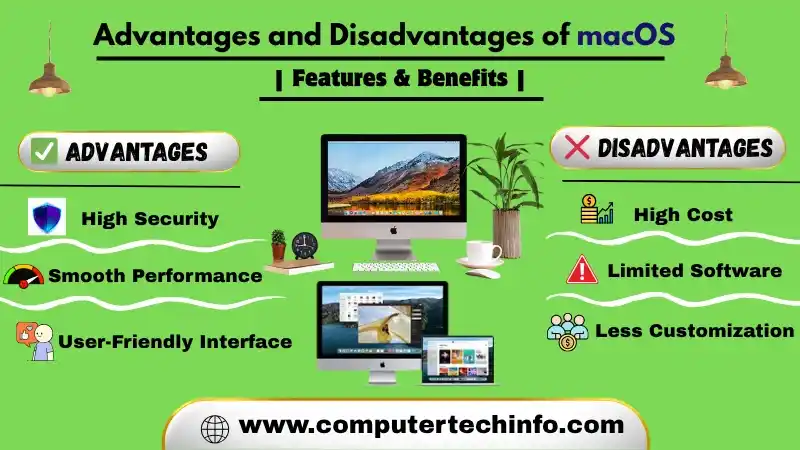
For many years Macs have maintained a different reputation. They get identifying for their stylish design, natural interface and strong integration within the Apple ecosystem. But is that enough?
Let’s take a closer look at the deep examining both the important advantages and possible disadvantages.
What Are The Advantages and Disadvantages Of Mac Operating System?
In this portion, our professional will educate about many advantages and disadvantages of macos | benefits and drawbacks. Just keep reading at the end!
Advantages of Macos
1. Having Many Helpful Free Productivity Apps
As we know the another advantage of macOS is the range of free Apple developed apps that come preinstalled or are available for download from the App Store.
Also Read: Android Operating System and it Features, Advantages and Disadvantages
For example productivity tools like Pages, Numbers and Keynote added at no cost, unlike Microsoft Office apps which are typically sold separately.
2. Neat & Clean User Interface than Windows
In comparison to Windows macOS gives a more straight forward and user friendly interface. It users familiar with the iOS operating system on iPhones and iPads will likely find macOS very familiar. Applications are generally need through the App Store and arranged within a centralized interface known as Launchpad.
3. Using Dedicated Features for Multitasking Task
MacOS adds many multitasking features. The operating system allows the use of multiple workspaces. It allows users to create separate desktops for different tasks. Mac devices also give dedicated keys and gesture controls for switching between applications and workspaces.
4. Better Optimization Software & Hardware
Lets define another benefit of macOS is its stable operation with very few performance problems. As Apple serves as both a hardware designer and software developer and third party components chosen based on established criteria.
While applications are carefully testing for compatibility and security. This close combination between hardware and software guides to improved overall performance.
5. Less Susceptibility to Malware and Security Issues
It is important to note that macOS is still helpless to malware. It compared to Windows fewer types of malware that specifically designed for macOS.
Also Read: Windows Operating System and its Features, Advantages and Disadvantages
Apple also regularly releases security updates for the operating system and its applications. In addition since most apps are getting download through the App Store. The risk of installing software from unfaithful developers get reducing.
6. Having Good Compatibility with Other Apple Devices
It is knowing the apple has created a range of products and services that work smoothly together. macOS and iOS share a similar user interface and workflow structure.
Additionally both Apple developed and third party apps are often available on macOS and iOS. Files and data are also synchronized across devices through Apple’s free cloud services.
Disadvantages of Mac OS over Windows
Now we will talking about all drawbacks and limitations of macOS ;
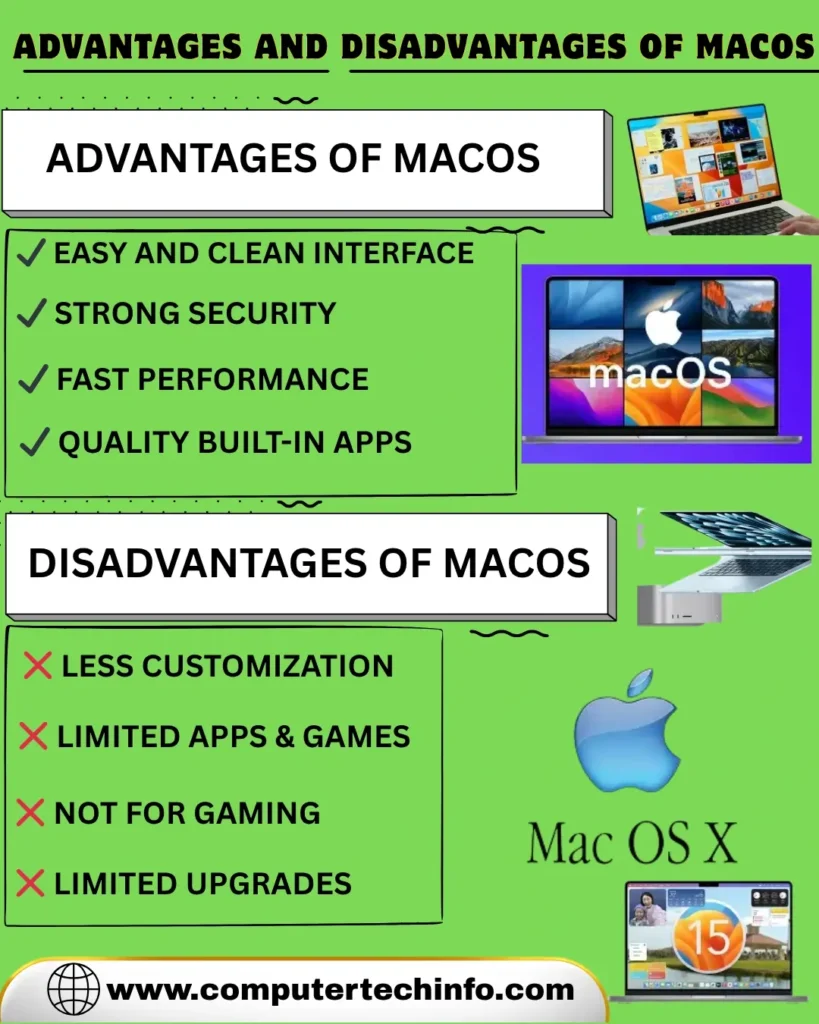
High Expensive
It is knowing that Apple devices are more expensive. However, for a objective comparison, it should be recognizing that a $350 Windows computer is not comparable to a $3000 MacBook Pro.
As they differ significantly in features and functionality. Apple offers a pre optimized system intended to deliver enhanced performance, stability and reliability from initial use.
Lack of Availability of Apps & Software
One of the biggest drawbacks of macOS has a more limited app selection than Windows. It is especially in gaming.
Also Read: What is Operating System and its Types? Uses & Examples
It is less suited for high end games due to weaker graphics support though popular software like Adobe Premiere Pro is still available.
Having Restricted for Playing Games
It commonly believes that Mac computers are not ideal for high performance gaming. As they are not mostly designing for gaming purposes. They generally have weaker graphics skills than dedicated gaming systems. which can reduce performance in demanding games. As a result users who prioritize gaming may choose other platforms.
No Option for Hardware Customization
As we know the one limitation of Mac systems is that most models do not allow hardware upgrades. Components such as the graphics card and processor are typically fixed and only some older models supported limited upgrades like RAM. Because of this users looking for better performance often have to invest in a new Mac rather than upgrading parts.
Windows Unable to Read macOS file System
In simple word macOS is capable of reading Windows file systems. Its adding NTFS and FAT without additional software. In contrast Windows does not naturally support the macOS file system and third party applications are need to access it.
Limited to Use Hardware
As we know the modern macOS systems do not fully support a wide range of USB ports and are no longer shipped with built in CD/DVD drives.
Small Community
Because of lower market share, the MacBook user community is smaller than that of Windows users. which may limit the level of community support available compared to Windows PCs.
Lesser Ports
Lets define the Apple is known for daily changing the ports on Macs and iMacs. At one stage some models adds only USB-C ports. but later versions brought back HDMI and SD card slots. Since future changes are unpredictable many users turn to docking stations for more flexible connectivity.
Not Able to Run Windows
Modern Mac computers are tool with Apple Silicon processors. which do not support native installation of the Windows operating system. However earlier Intel-based Mac systems allowed Windows to be installing using Boot Camp.
Is macOS Right for You?
As we know the answer depends on your individual needs and priorities. If you value a user friendly interface, seamless integration with Apple devices, strong security and premium design.
Also Read: Android Version List A to Z With Name
macOS may be a great choice. If you are on a tight budget need a wide range of hardware options or are a serious gamer, other platforms may be more suitable.
Lets define the best way to decide is to try macOS for yourself. Visit an Apple Store or a friend who owns a Mac and spend some time study the system. This hands on experience will help you determine whether it is the right operating system for you.
Features of macOS
The Key features of macOS include:
Multimedia support – As we know users are able to view, listen to and read content through applications such as Music, TV, Podcasts, Books and Photos. macOS supports media browsing, editing and creation via tools adding iMovie, GarageBand and Photos.
Accessibility – It is well established that tools such as VoiceOver, Accessibility Keyboard and Text-to-Speech give assistance to people with disabilities. The Mac operating system’s new focus modes let users select what notifications they receive and when, which can help people with ADHD and other mental health issues.
Support for Multiple Languages – MacOS adds ease of access tools like VoiceOver, Accessibility Keyboard and Text to Speech. Its Focus modes also help users manage notifications which can support people with ADHD and other conditions.
Communication – It allows users to communicate via visual and audio applications, including FaceTime, as well as through text based platforms such as Mail and Messages.
Productivity – Lets define applications such as Pages, Numbers, Keynote and others give users with graphical tools for creating and editing content. In addition apps such as Notes, Reminders, Calendar, Voice Memos and Contacts make it easy for users to organize and fast access information.
Security – Large portion of macOS software is going to develop by Apple. Safari is a secure web browser. while full disk encryption serves as a key security feature.
iCloud – iCloud allows users to share and access content across multiple devices. It ensures that data is automatically updating across all Apple devices enhancing convenience.
Summing Up
In conclusion as we can see macOS offers many advantages and its drawbacks can be important for positive users.
Also Read: Unix OS with its Examples, Types, & Functions
As a result like any other software. the choice should depend on the specific tasks it will be used for.
If this article is valuable for you, then please share it along with your friends, family members, pet lovers or relatives over social media platforms like as Facebook, Instagram, Linked In, Twitter, and more.
Do you have any experience, tips, tricks, or query regarding on this? You can drop a comment!
Have a Nice Day!