In simple word we will explain the advantages and disadvantages of Ubuntu Linux.
Their operating systems are commonly used by people in almost every profession. While Windows and Mac are the most recognized operating systems, the market offers many alternatives, one of which is Ubuntu Linux.
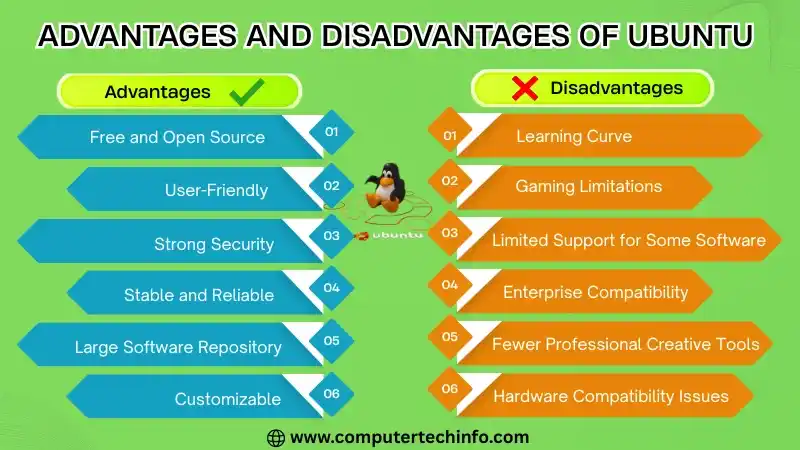
In this article we will introduce this Linux distribution and discuss its advantages and disadvantages.
Advantages of Ubuntu Operating System
There are many benefits of using Ubuntu OS , like as:
Lock screen
Ubuntu has an attractive lock screen design that also displays notifications. In Ubuntu updating your desktop wallpaper will automatically update the lock screen background too.
Free and open-source
As we know Ubuntu is a free and open-source operating system. so users can install and use it without paying for a license. In contrast operating systems like Windows and macOS need paid licenses.
Also Read: What is Biometric Scanner? Types, Uses, Pros, Cons & Working
Ubuntu also gives free access to its source code. It makes possible for users to study and modify the system if desired.
“Do not disturb” option
The Ubuntu operating system gives a “Do Not Disturb” option for managing notifications. It users can open it by selecting the time section at the top of the screen. After enabling this option desktop notifications will no longer pop up. but the notifications will still be saved in the tray for later access.
Support many devices
Let’s explain Ubuntu is a flexible operating system that can run on computers, servers, virtual machines and even Mac devices. Its free and open-source features. It makes popular in cloud hosting. while its lightweight nature allows it to be used in IoT devices and robots as well.
Change icons size
It is known the Ubuntu allows users to increase or decrease the size of icons and text through fractional scaling. If you use multiple showssuch as laptop screen and an external monitor. You can apply different scaling levels like 100%, 125%, 150%, 175% or 200% like each screen. This feature is especiallyhelpful for high resolution displays. As it improves the visibility of icons and fonts.
A lot of apps available
As we discuss variety of apps on Ubuntu. LibreOffice is a free application you can use for office work. It gives various features for creating presentations and handling word processing tasks like those done in MS Word. Ubuntu also supports many other useful applications including VLC media player, Google Chrome, Mozilla Firefox, Skype, Spotify, Slack and more.
Application switcher
In older Ubuntu releases, users needed the tilde (~) key to switch between different instances of the same app. Now this process is simplified as all instances are visible in the application switcher. which opens when you press Spacebar + Tab.
Customization
Ubuntu gives many ways to personalize its interface according to user needs. You can change text and icon sizes, switch desktop layouts and manage notifications by turning them on or off. It also supports hiding or displaying desktop icons and applying different visual themes. It adjusts the systems appearance and behavior so it matches your comfort and preference.
Dark theme
Dark theme has growing very popular nowadays and many apps and websites now offer it. Most code editors also include a built-in dark mode. In Ubuntu you can enable it by opening Settings. It is going to the Appearance section and selecting the Dark option.
System requirements
Now we are discussing about the Ubuntu 20.04 can be installed on a system that has at lowest 4 GB of RAM, a 2 GHz dual core processor and 25 GB of free disk space. Ubuntu can be installed via DVD or USB drive.
Also Read: Advantages and Disadvantages of iPhone | Benefits & Drawbacks
If your system has limited hardware. you can opt for older versions that need less system power.
Powerful command-line interface
Ubuntu’s command line connection is more powerful than MS DOS. It is giving additionalbuilt-in functionalities. You can easily install, manage and update software using terminal commands.
Gnome extensions
GNOME Extensions in Ubuntu offer many extra customization features. Through the Extensions window you can hide or display desktop icons, modify the dock and adjust app indicators. It also provides options to resize desktop icons for a more personalized look.
Helpful Community:
In case you encounter any difficulty while installing or using Ubuntu help is available on the official support page at https://help.Ubuntu.com. It provides detailed documentation about the system. you can use the Ubuntu forums to ask questions and get help in resolving technical problem.
Speed is good
If we compare Ubuntu and Windows. Ubuntu usually has a better startup performance. My Windows system with installed applications becomes slow and takes longer to complete actions after login. Ubuntu starts up faster and performs tasks more efficiently.
High security
Ubuntu does not need separate antivirus or firewall software. As it already includes built in protection. Its core developers continuously monitor security problem and fast fix any vulnerabilities in the code.
Disadvantages of Ubuntu O/S
The graphical interface of Ubuntu is mainly viewed as less smooth and less simple than that of macOS or Windows.
1. It is not considered a very user-friendly operating system for personal computers.
2. It may not support hardware unless paid drivers are installed.
3. It may not support a number of mainly used proprietary programs.
4. It is not compatible with many premium software programs. It is including photo editing tools, video and animation editors and office applications for spreadsheets and documents.
5. It is not good for games and specific programs such as Labview and Proteus.
6. It is not compatible with some drivers unless you have an explicitly manufacturer supported device.
7. It does not support cPanel and some other popular middleware.
Why Use Ubuntu?
There are many reasons to choose Ubuntu and the following are some of the strongest ones.
It is completely free and open source with shared code, shared work and shared principles.
You don’t need to be an expert to use, test or install it.
It is supporting learners in learning more about the GNOME desktop environment.
On most modern computers. It loads in under a minute.
Also Read: Advantages and Disadvantages of iOS | Features & Benefits
As we know Ubuntu is safe to viruses that cause computers to crash. Blue Screens of Death are no longer a possibility.
Canonical publishes new Ubuntu versions every six months and gives free updates daily.
The global FOSS community and Canonical can give you with all your need help and advice.
Ubuntu is one of the most commonly used Linux distributions, supported by a huge online community.
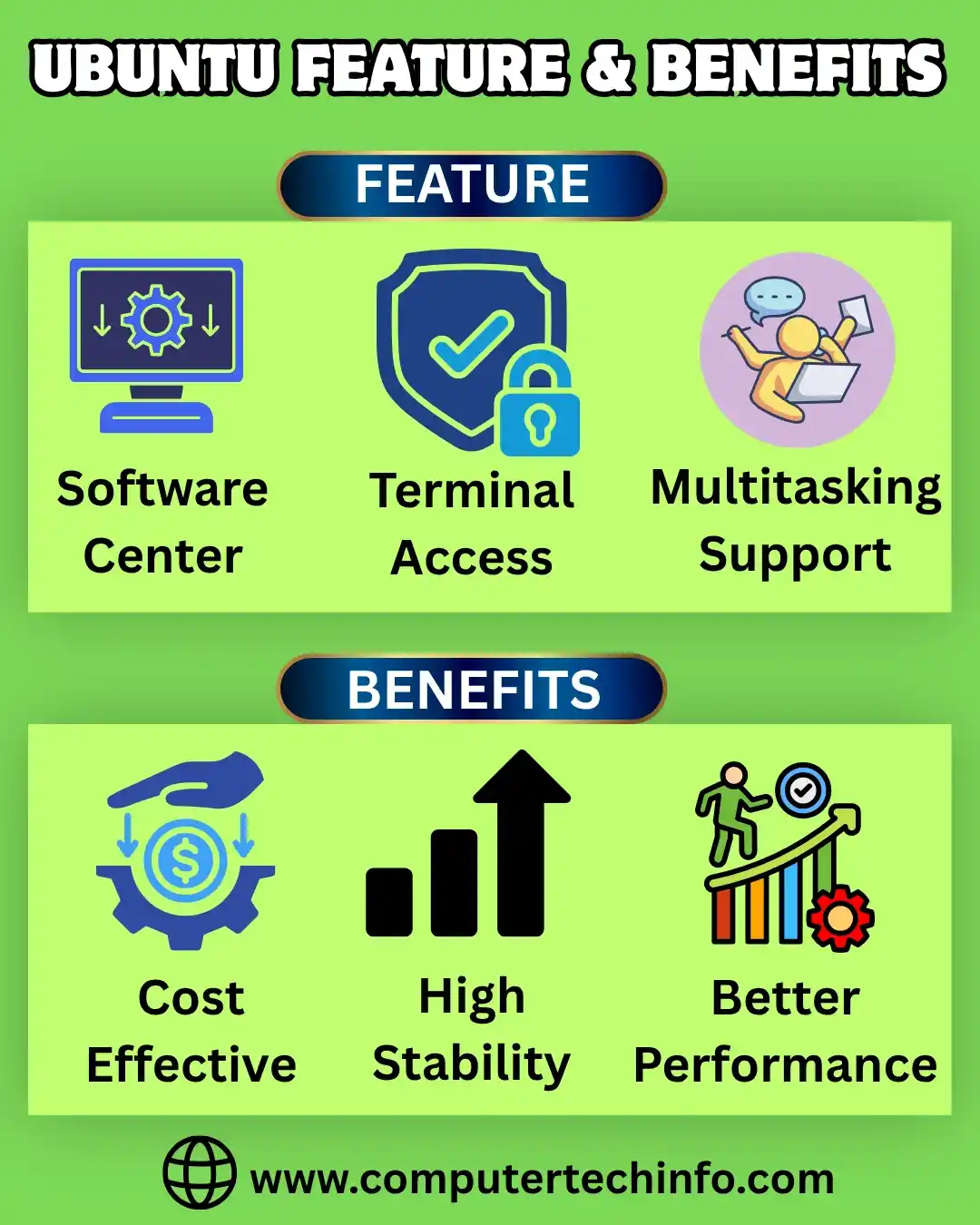
Features of Ubuntu Distribution
It is simple to install, control and work with the Ubuntu operating system.
Ubuntu gives strong hardware support. It is allowing users to easily install printers, drivers and other devices for smooth and efficient operation.
Ubuntus launcher allows users to open the applications they need fast. It’s simple and simple design makes it easy to locate apps.
It comes with a strong desktop integration. So, it is including many types of files such as audio, video and photo lenses.
It comes with the software Thunderbird. It is allowing the users to access the emails.
Ubuntu gives an intelligent search function for easily locating desired files and applications on the system.
The Bottom Line
In this article we have been discussed about the, we have covered many important advantages and disadvantages of Ubuntu Linux. Being aware of these can help you better knows its capabilities and limitations. It is especially when using an Ubuntu VPS or an Ubuntu RDP server.
Also Read: Advantages and Disadvantages of macOS | Features & Benefits
What do you like about Ubuntu Linux? Share your experience with us and describe how it helps you in your tasks and workflow.
If this article is valuable for you, then please share it along with your friends, family members, pet lovers or relatives over social media platforms like as Facebook, Instagram, Linked In,Twitter, and more.
Do you have any experience, tips, tricks, or query regarding on this? You can drop a comment!
Have a Nice Day!