Hello learners! Today we will explain all the advantages and disadvantages of MS Excel as well as the best things about MS Excel for students and business in an easy way. This is an article online; so we can promise that after reading this text; you will definitely know all about MS Excel Benefits and Problems without any problems.
Microsoft Excel is a strong spreadsheet program that made by Microsoft. It can arrange data into columns and rows that let users do math operations make pictures and graphs and handle and study data in a good way.
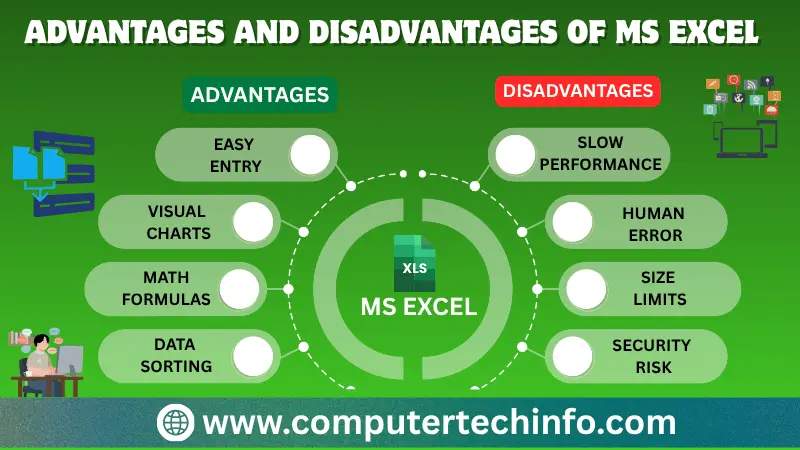
Today MS Excel is using a lot for studying data entering data, managing data, accounting and planning money. Excel works with many operating systems like Windows, macOS, Android and iOS; so it is easy to use on different devices.
What Are The Benefits and Problems of MS Excel?
Microsoft Excel has good things but it also has some bad things.
Also Read: What is MS Excel? Features, Uses, Examples & History
So here you will get the breakdown of some benefits and problems of using MS Excel:
10 Benefits of MS Excel
Here are the top 10 benefits of using MS Excel including:
Data Organization and Management
Excel lets users arrange a lot of data in a clear way. It uses a grid system; where data can be putting into cells that makes it easy to keep managing, sorting and filtering information.
Calculations and Formulas
Excel has a lot of math and statistics functions. Users can do complex calculations using formulas that help in analyzing data planning money and budgeting.
Data Analysis and Visualization
Excel has tools for data analysis, like charts and graphs. Users can make pictures of their data that help to understand trends, ideas and patterns.
Automation with Macros
Excel lets users do tasks using macros. Macros are sequences of actions that can be playing again to save time and make mistakes in tasks that have many steps.
Data Validation
Excel helps users set rules for data entry through data validation. This helps to keep data by stopping users from putting in wrong or incorrect information.
PivotTables and Pivot Charts
PivotTables and Pivot Charts are tools in MS Excel that let users summarize and study large sets of data. They offer a way to look at data from angles.
Collaboration and Sharing
Excel helps people work together by letting multiple users work on a spreadsheet at the time. It also works with Microsoft Office programs making work easier.
Conditional Formatting
Conditional formatting in Excel lets users make cells stand out based on rules. This helps to see trends, unusual data and important points
Data Security and Protection
Excel has features to keep information safe. Users can protect workbooks, sheets and cells with passwords so people who should can see or change parts of the spreadsheet.
Versatility and Integration
Excel is a tool that can be using for many things from simple math to complicated data analysis. It lets user’s link data from spreadsheets to programs like Word or PowerPoint making it more useful.
10 Problems of MS Excel
Even though Microsoft Excel’s a strong and often used spreadsheet program; it has some bad parts.
Also Read: What is CMOS? Working, Applications, & Types | CMOS Full Form
Here are 10 main problems of using MS Excel as follows.
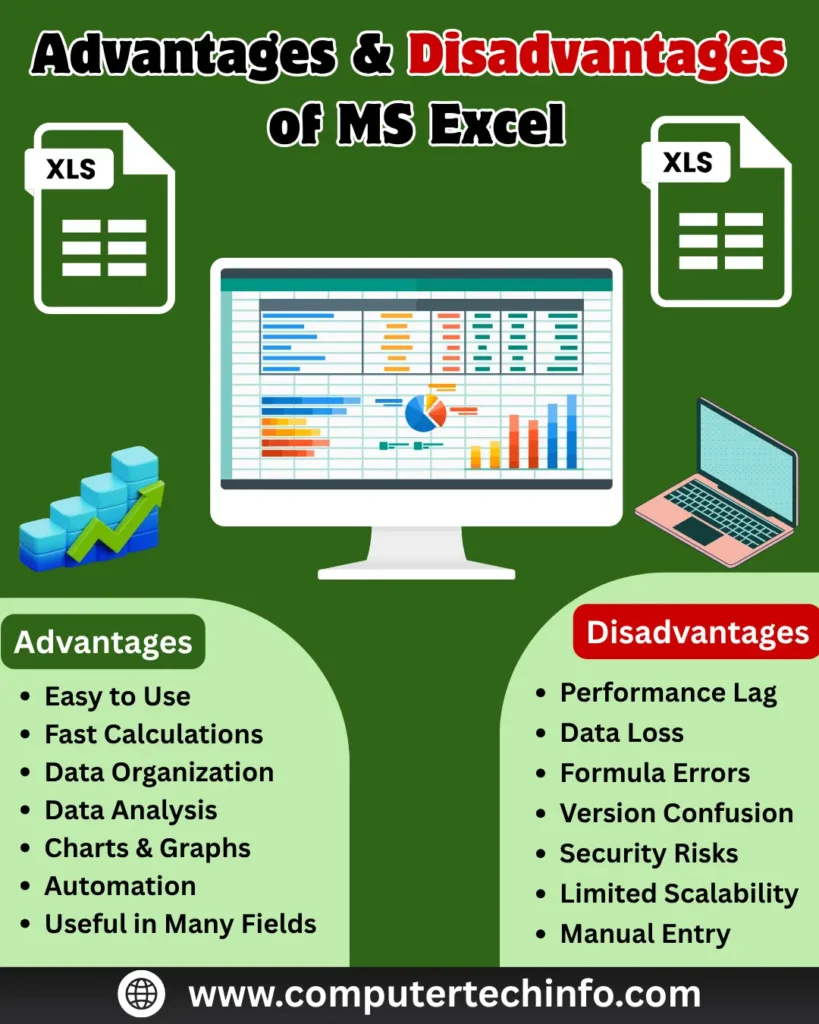
Limited Data Handling Capacity
Excel has problems handling a lot of data. As the file gets bigger the speed can get slower. The program can be less responsive.
Not Suitable for Large Databases
Excel is not built to be a database system. Managing databases with complicated relationships can cause data problems and there are better programs for that.
Security Problems
Excel files can be protected with passwords. The security may not be enough for very important information. Passwords can be. Others might get into the data.
Limited Collaboration Features
Excel lets than one person work on a spreadsheet but real-time collaboration is limited. People may have problems working on the file at the same time and need to plan changes.
Hard to Manage Different Versions
Keeping track of versions of Excel files can be tough. It can be hard to follow changes and keep a history especially in groups.
No Central Data Storage
Excel files are usually keeping on computers or network drives making it hard to control data in one place. This can cause problems with the version and managing data.
Not Much Automation and Customization
Excel has some ways to automate things with macros. It might not have enough features for very special or complicated tasks compared to more advanced tools.
Risk of Mistakes in Formulas
Users can make mistakes when making formulas, which can lead to numbers and analysis. It can take a time to find and fix these mistakes affecting the results.
Can’t Handle Unstructured Data
Excel is built for data in tables. It may not be good for data or data with complex relationships like text or data that is not in rows and columns.
Depends on Microsoft Programs
Excel files are usually made and changed using Microsoft Excel. This can cause problems when sharing files with people who don’t have the software or when switching to other tools.
Benefits and Problems of MS Excel in a Table
Here we will show you a table with the benefits and problems of MS Excel:
| MS Excel Advantages | MS Excel Disadvantages |
| Tables are dynamic | Fallible |
| Tables are easy to make | Irresolution |
| Tables have calculated columns | Hard to Combine Data |
| More than 50 table styles | Not good for business plans |
| Tables have Refine | Data Credibility |
| Structured references | Information Disclosure |
| Column headers always show | Limited Collaboration Features |
| Data can be recovered using forms | Limited Growth |
| Easy to choose and use | Not good for complex plans |
| Quick and correct calculations | Old file format |
Benefits of MS Excel for Students
Microsoft Excel has many good things for students, including:
Also Read: What is Light Pen in Computer? Types, Examples, Uses, & Full Guide
Organizing Data: Helps students put data in a clear way using tables.
Math Calculations: Let students use formulas to do math.
School Planning: Students can use Excel to plan classes, track grades and credits.
Project Management: Supports planning and tracking projects with to-do lists and times.
Automate Tasks: Let students do tasks using macros, which saves time on things they do again and again.
Work Together: Let students work on projects with others.
Benefits of MS Excel for Business
Data Analysis: Helps businesses study data. Make smart choices.
Financial Management: Used for budgeting, predicting and making plans, which helps with managing money.
Graphs and Charts: Let businesses show data with pictures and graphs making it easier to explain and study.
Inventory Management: Helps. Manage stock, which helps keep the right amount of products and save money.
Project Planning and Tracking: Helps plan and track projects keep track of time. Manage tasks.
Also Read: Different Types of Plotters – A Complete Guide
Automate Tasks: Let businesses do tasks with macros, which makes work faster and reduces errors.
Data Validation: Ensures data is correct by setting rules for what can be put in stopping mistakes when entering data.
Reports and Dashboards: Helps make reports and dashboards for seeing numbers easily.
Work Together: Let many people work on spreadsheets at the time making teamwork and communication better.
Customer Relationship Management (CRM):Used to manage customer information track contact and study customer details.
Conclusion: Pros and Cons of MS Excel
Through this article you have learned all the important benefits and problems of MS Excel as well as the best things about MS Excel for students and business in an easy way.
If this article is valuable for you, then please share it along with your friends, family members, pet lovers or relatives over social media platforms like as Facebook, Instagram, LinkedIn,X, and more.
Do you have any experience, tips, tricks, or query regarding on this? You can drop a comment!
Have a Nice Day!